City
City Master stores and manages information about cities that are relevant to a business's operations. The City Master serves as a centralized repository for maintaining standardized city-related data used in various processes like customer or vendor addresses, shipping, billing, and reporting.
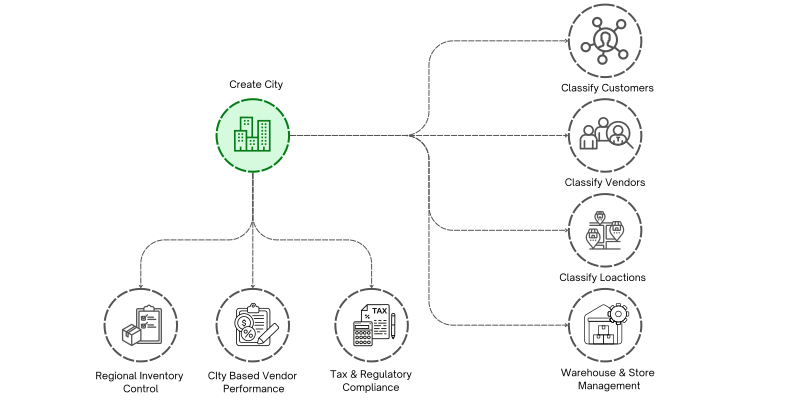
To access the City list, go to: > Home > Application > Inventory > Setup > City
How Can I Benefit?
- Organize City : Standardizing city names prevents issues like duplicated or misspelled cities in addresses. Ensures consistency in address formats across different records and modules (e.g., customer addresses, vendor records, and shipping addresses).
- Enhance Reporting : Allows for sales and customer data analysis based on city, state, or region. This is useful for understanding geographic trends or planning regional marketing campaigns.
Properties
| Property | Description |
|---|---|
| Cityname | Here You Can Enter the City Name |
| Region | You Can Enter the Region Name |
| Place of Supply | You Can select the Place of supply from dropdown |
Create City
- Go to the City list, click on
Add New - Enter City name
- Enter Region
- Select Place Of Supply
- Click on
Save

tip
You can assign a City for a Vendor or a Customer
Edit City
- Go to the City list
- Locate the City, Click on the Pencil icon to open whose details you want to Edit
- Make the necessary changes
- Click on
Save
Delete City
- Go to the City list
- Locate the City, Click on the Delete icon to open whose details you want to Delete
- Click on
Delete
warning
A City that has been associated with any master cannot be deleted.